November 19, 2026
Travel Voucher Format and Supplier Management Post-Booking
The right travel voucher format and supplier management system saves your team from double bookings, missed confirmations and angry suppliers.
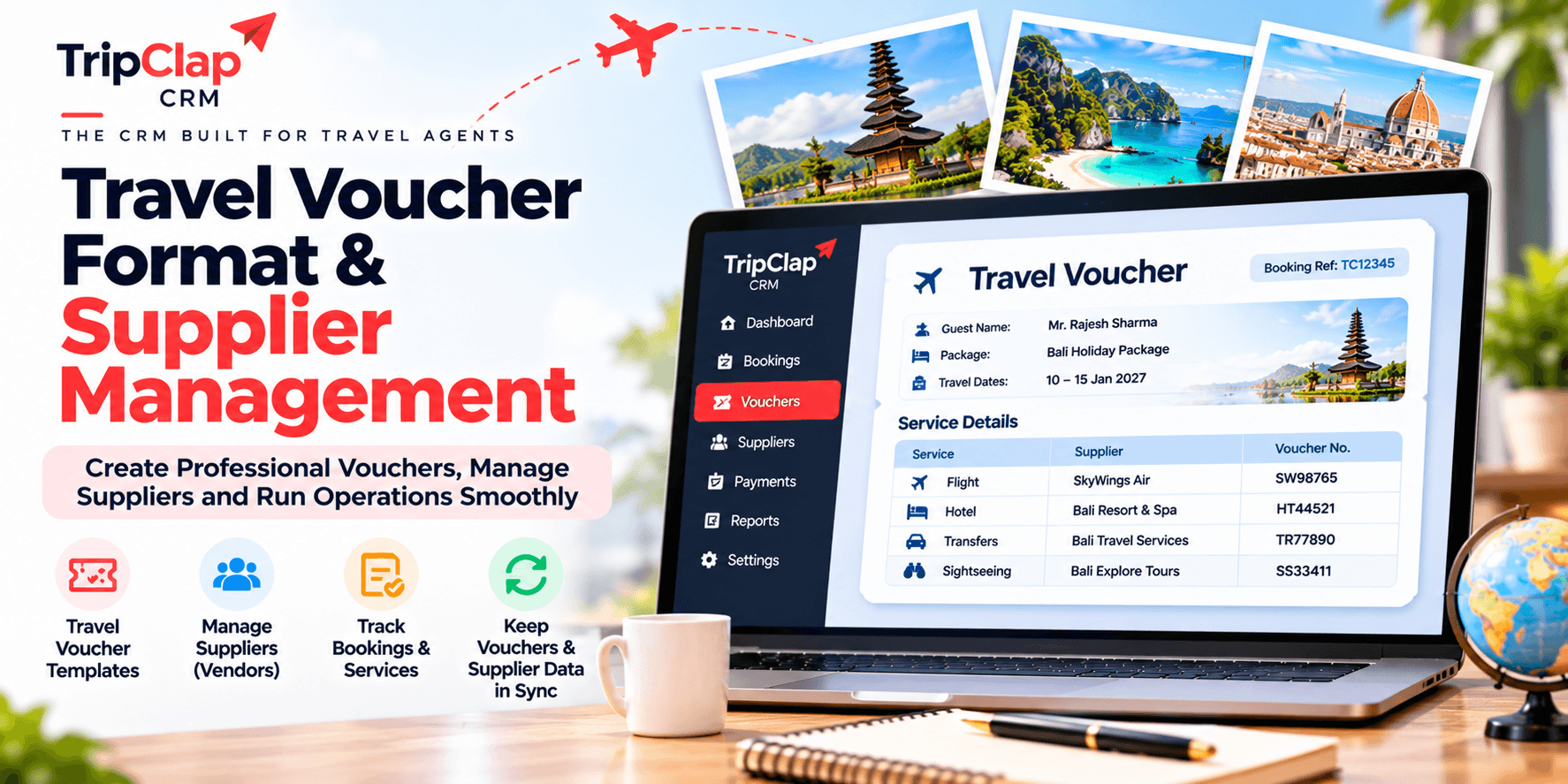
Short answer: A travel voucher needs booking reference, guest details, service dates, supplier name and contact, service description, payment terms and cancellation policy. Pair it with a supplier database to track confirmations, avoid double bookings and keep operations smooth after the sale.
We spend weeks converting a lead into a booking. Then the booking is confirmed and suddenly it is all supplier chaos.
The cab company says they never got the voucher. The hotel claims the dates do not match. Your ops team is hunting through WhatsApp for the transporter's phone number. The guest calls from the airport. No one showed up.
Great at sales, terrible at operations. The problem is always the same: no standard travel voucher format and no supplier database. Every booking is a fresh scramble.
What goes in a travel voucher
A voucher is the instruction sheet you send to your supplier. It tells them what service to deliver, to whom, when and on what terms.
Here is what every voucher needs, whether it is a hotel voucher format or a cab booking:
- Voucher number: Unique reference like HV-2026-0142 so you and the supplier can track it.
- Booking reference or PNR: If the supplier gave you one when you made the reservation.
- Guest details: Lead passenger name, total pax, phone number. For hotels, list all guest names if the property asks for them.
- Service dates: Check-in and check-out for hotels, pickup date and time for transfers, tour date for sightseeing.
- Supplier name and contact: Hotel name, address, phone, email. Transporter name and driver contact for cabs.
- Service description: Room type and meal plan for hotels. Vehicle type and route for transfers. Itinerary for sightseeing.
- Confirmation status: Confirmed, on request, waitlisted.
- Payment terms: Paid in full, pay at hotel, credit limit against your account.
- Cancellation policy: Deadline and penalty, so the guest and the supplier both know the rules.
- Special requests: Early check-in, airport pickup signage, dietary restrictions, wheelchair access.
- Your company details: Agency name, phone, email, emergency contact.
That is the core. Do not add fields you will not fill. It just looks sloppy.
Sample hotel voucher format
Here is a simple tour voucher for a hotel booking, laid out as a table you can adapt:
| Field | Details |
|---|---|
| Voucher Number | HV-2026-0142 |
| Booking Reference | BKG-998877 |
| Guest Name | Mr Rahul Mehta |
| Total Guests | 2 Adults |
| Guest Contact | +91 98765 43210 |
| Check-in Date | 15 December 2026 |
| Check-out Date | 18 December 2026 (3 nights) |
| Hotel Name | The Leela Palace, Udaipur |
| Hotel Contact | +91 294 2511234, reservations@leela.com |
| Room Type | Deluxe Lake View Room |
| Meal Plan | Breakfast included (MAP) |
| Confirmation Status | Confirmed |
| Payment Terms | Paid in full by agency |
| Cancellation Policy | Free cancellation until 10 Dec; 50% penalty 10–14 Dec; 100% penalty after 14 Dec |
| Special Requests | High floor, honeymoon cake on arrival |
| Issued By | Horizon Holidays, +91 11 4567 8900, ops@horizonholidays.in |
For a transfer voucher, swap room type for vehicle type and route. For sightseeing, swap it for the tour name and pickup point. The structure stays the same.
Why you need a supplier database
Vouchers are useless if you do not know which supplier to send them to.
Most agencies keep supplier contacts in someone's phone or a shared Excel sheet. When that person is on leave, no one can find the cab company's number. When two people book the same hotel on the same dates, you discover it only when the hotel calls to say they are overbooked.
A proper supplier management travel agency setup means a database where you store:
- Hotels: Name, city, contact person, phone, email, payment terms, credit limit, commission percentage, your account manager there.
- Transporters: Company name, fleet size, vehicle types, rate card, driver contacts, coverage area.
- Guides: Name, languages, cities covered, daily rate, phone.
- Activity providers: Company name, services (rafting, paragliding, safaris), location, booking process, cancellation terms.
Tag each supplier by type and location so you can filter quickly. If you run group tours or fixed departures, tag the suppliers you use most often as "preferred" so your team books them first.
TripClap CRM gives you a vendor module (on Pro Plus and Enterprise Elite plans) where you save all this. When you are building a voucher, you pick the supplier from the list and their contact details auto-fill. No one is searching for a phone number at 9 PM the night before departure.
Full disclosure: I run TripClap. But the supplier problem exists whether you use our CRM or someone else's or a spreadsheet. The point is to have one place where the whole team can find supplier contacts and booking history.
Confirmations and the departure calendar
Booking a supplier and getting their written confirmation are two different things.
You send a voucher. The hotel emails back "confirmed". You mark it confirmed in your system. If you do not, your ops team will call the hotel again next week to ask if it is confirmed. The hotel will think you are disorganised.
Track the confirmation status for every service in the booking: hotel confirmed, cab confirmed, sightseeing pending. If something is still "on request" 10 days before departure, that is a red flag.
The second piece is a departure calendar. List every booking by departure date. Syncing it to Google Calendar means your whole team sees it and you can set reminders. Two weeks before departure, check that every voucher is issued and confirmed. One week before, call the lead passenger to confirm pickup time. Three days before, send final instructions.
TripClap CRM has a departure calendar built in and it syncs to your Google Calendar. On Enterprise Elite there is also a cab management screen where you assign vehicles and drivers to each transfer, so your transporter knows which driver is doing which job. If you are a DMC handling dozens of groups a month, this kind of ground operations tracking is the difference between smooth tours and constant firefighting.
What goes wrong without this
Here are common operational failures that happen without proper voucher and supplier management:
- Agency books the same hotel room twice because two people did not check the shared sheet.
- Guest arrives, hotel says no booking, because the voucher went to the wrong email and no one followed up.
- Cab does not show up because the driver's phone number in the WhatsApp chat was wrong.
- Sightseeing guide is double-booked because the agency has no record of which dates he is already committed.
- Hotel charges the guest at checkout even though the agency already paid, because the voucher did not clearly say "paid in full".
- Agency cannot remember which transporter they used last time in Jaipur, so they call three different companies and get three different quotes. Wastes an hour.
Every one of these is a voucher or supplier management failure. The sale was good. The operations were a mess.
One workflow that works
Here is the post-booking process we recommend:
Step 1: Booking is confirmed, payment received (or at least the first instalment; see how to manage travel payment collection). Move the lead to "Matured" in your pipeline.
Step 2: Assign the booking to your operations team. If you use a travel agency CRM, this is just changing the owner or adding an ops tag.
Step 3: Ops team picks suppliers from the database, sends booking requests, waits for confirmation. Mark each service as "pending" until the supplier confirms.
Step 4: Once confirmed, generate the voucher with all the fields above. Email or WhatsApp it to the supplier and to your lead passenger.
Step 5: Add the departure date to your calendar with reminders at 14 days, 7 days and 3 days before travel.
Step 6: On the reminder, check that the guest has the vouchers, the suppliers are ready and any special requests are noted.
Step 7: After the trip, ask the suppliers for their final invoice if you are settling on credit. Update your payment ledger and close the booking.
Do you need a CRM for this?
You can run vouchers and supplier management in Excel and Google Sheets. Plenty of small agencies do.
The problem is scale.
A CRM built for travel gives you voucher templates, a supplier database, a departure calendar and reminders, all connected to the same booking record. When your sales team closes a deal, ops can see the booking immediately and start issuing vouchers. When a payment comes in, the ops team sees it in the same system. No one is asking "did we get the deposit?" or "which hotel did we book?" because it is all in one place.
TripClap CRM includes voucher generation and vendor management on the Pro Plus plan (₹19,999/year, around ₹1,667/month), and adds cab assignment and unlimited sub-users on Enterprise Elite (₹24,999/year, around ₹2,083/month). If you want the full picture of what a travel CRM does, read our travel CRM guide.
If you want the bigger picture first, read our travel agency CRM.
Frequently asked questions
What is the difference between a voucher and an invoice?
A voucher is an instruction to your supplier to deliver a service. An invoice is a payment request you send to your customer. The voucher goes to the hotel or cab company. The invoice goes to the guest. You may issue both for the same booking, but they serve different purposes.
Do I need a separate voucher for each service in a package?
Yes, if you are coordinating multiple suppliers. One voucher for the hotel, one for the cab company, one for the sightseeing guide. Each supplier only needs to see the part of the trip they are handling. Sending them a 10-page itinerary confuses them. Send them a one-page voucher with their service details.
Should I include pricing in the voucher I send to the supplier?
Include the price you agreed with the supplier, not the price you charged your customer. The supplier needs to know what you are paying them so they can reconcile their invoice later. Your retail price and margin stay between you and the guest.
How do I handle last-minute changes to a confirmed voucher?
Issue a revised voucher with a new version number (HV-2026-0142-R1) and mark it "REVISED" at the top. Email it to the supplier and call them to confirm they received it. Do not assume they saw the email. If the change is major, like a date shift, get written confirmation from the supplier that they can accommodate it before you tell the guest it is done.
What if a supplier does not confirm the booking even after I send the voucher?
Call them within 24 hours. If they still do not confirm, find a backup supplier and move the booking. Do not wait until 3 days before departure to discover the hotel never received your request. Agencies can lose customers when they assume silence means confirmation.
Can I use the same voucher format for international and domestic bookings?
Yes, the fields are the same. For international bookings add passport details if the hotel or immigration requires them, and make sure the currency and time zone are clear. For flight vouchers include the PNR and any frequent flyer numbers. Otherwise the structure does not change.
My honest take
Most agencies get good at sales and then assume operations will just happen. It does not.
A standard travel voucher format and a supplier database are not exciting. They do not bring in leads. But they are what keep your bookings from turning into disasters. When a guest calls to say the cab did not show up, your reputation is on the line, not the cab company's.
If you are still managing this in WhatsApp and spreadsheets, you will hit a ceiling. You can only scale operations if your team can find supplier contacts, issue vouchers and track confirmations without asking you every time. A CRM built for travel gives you that. TripClap CRM includes voucher generation, a vendor module and a departure calendar that syncs to Google Calendar, starting at ₹19,999/year. You can start the 7-day free trial and see if it fits your workflow.
About the author: GG is the founder and CEO of TripClap, which runs a family travel marketplace and TripClap CRM for travel businesses. He has 18+ years of experience building travel and SaaS products, including at IndiaMart’s HelloTravel, and holds an MBA from IIM Lucknow. Connect on LinkedIn.