November 5, 2026
Travel Agency Payment Collection: Instalments & Links
How to collect advance payments, send instalment reminders and track outstanding balances using payment links and schedules.
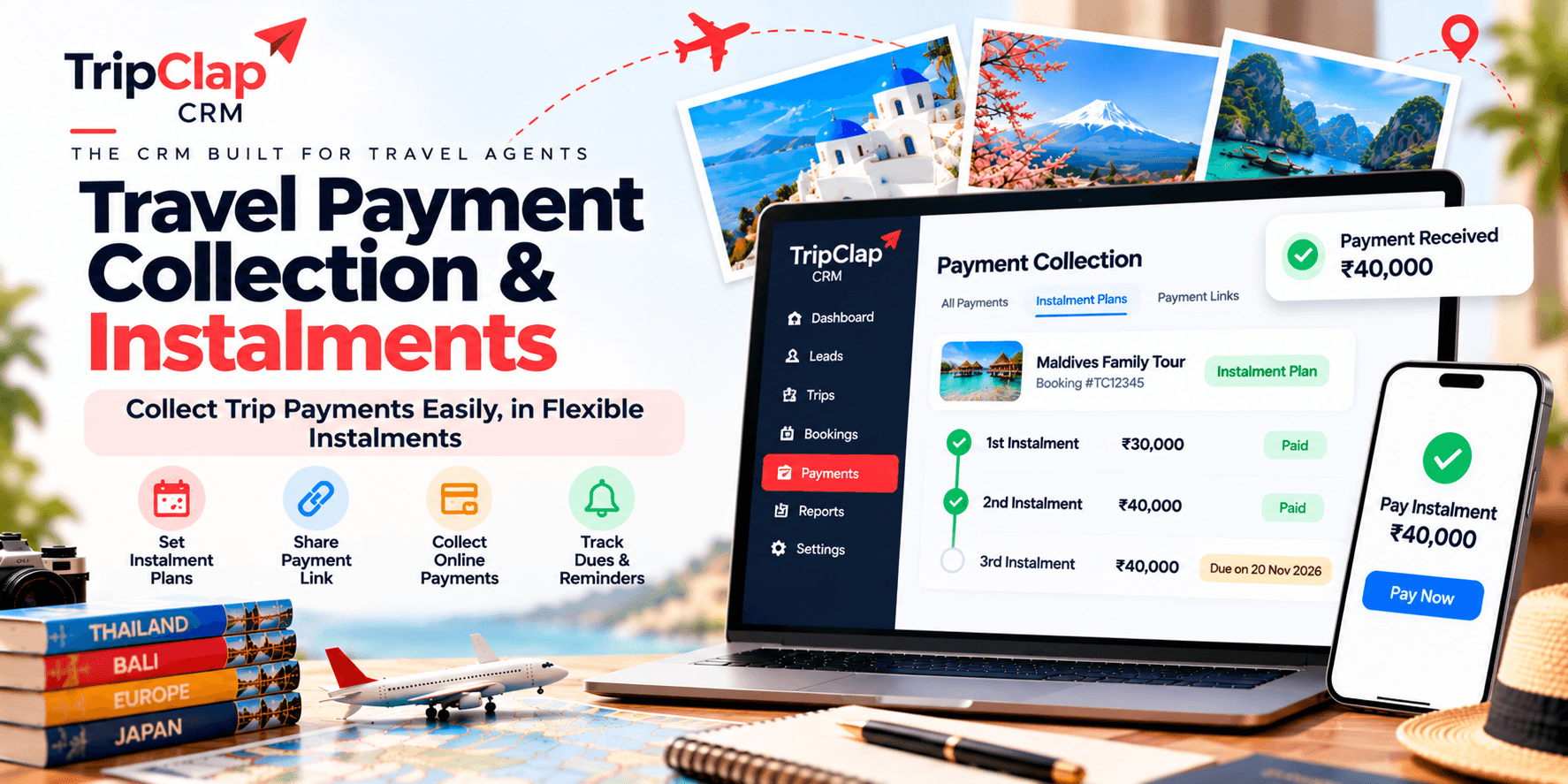
Short answer: Most agents collect 20–40% advance at confirmation, then 2–3 instalments before departure. Payment links from Razorpay or Cashfree go straight to customers on WhatsApp or email. A good CRM tracks every receipt against the booking, sends reminders automatically, and shows you outstanding at a glance.
Many small agencies chase payments on Excel and WhatsApp. One missed instalment reminder and you're scrambling to collect ₹1.2 lakh two days before departure. Another loses track of who paid what, and the accountant spends half a day reconciling bank statements to bookings.
Travel agency payment collection is not hard if you set up the system once. You need a clear instalment schedule, a way to send payment links instantly, and one place that shows every booking's outstanding balance.
How advance and instalment schedules work for travel bookings
Most domestic packages follow a simple pattern: 30–40% advance at booking confirmation, 30–40% midway through, and the balance 7 to 10 days before departure. International trips often need three or four instalments because the total is higher and customers need time to arrange funds.
Here's a common pattern:
| Trip type | Advance | Instalments | Balance due |
|---|---|---|---|
| Domestic 3–5 days | 30–40% | One instalment, 30 days out | 7 days before departure |
| Domestic 7–10 days | 30% | Two instalments, 45 and 20 days out | 7 days before departure |
| International short-haul | 40% | Two instalments, 60 and 30 days out | 10 days before departure |
| International long-haul | 30–40% | Three instalments, 90, 60 and 30 days out | 10 days before departure |
Advance payment for travel booking locks in the customer and covers your own supplier advances. If they cancel after you've paid the hotel or airline, you're protected.
The instalment schedule depends on your booking terms and how much you trust the customer. First-time customers get tighter schedules. Repeat customers often get more flexibility.
Sending payment links on WhatsApp and email
A travel payment link is a URL your customer clicks to pay by card, UPI or net banking. Razorpay and Cashfree generate these links in seconds. You send the link on WhatsApp or email, the customer pays, and the money hits your account within a day.
No need to share your bank account number in a message. No screenshots of QR codes. No asking "have you paid?" because the payment gateway tells you the moment it clears.
In TripClap CRM, you open the booking, enter the instalment amount, click "Send payment link", and the system generates a Razorpay or Cashfree link. You copy it into WhatsApp or the CRM sends it by email. The customer pays, and the receipt syncs back to the booking ledger.
This works on Pro Plus and Enterprise Elite plans. You connect your Razorpay or Cashfree account once, and every payment link after that takes 10 seconds to create.
What customers see when they click the link
The payment page shows your company name, the booking reference, the amount due, and the payment options. Most customers pay by UPI because it's instant and free. Cards work for international customers or people who prefer credit card reward points.
The page is hosted by Razorpay or Cashfree, not by you, so customers trust it. They see the same checkout they use on Swiggy or Amazon.
Setting up payment schedules in your CRM
Payment schedules are on the Enterprise Elite plan. You create the booking, enter the total trip cost, and define each instalment: amount and due date. The CRM tracks every instalment and shows you which ones are overdue.
For example, a ₹2.4 lakh Europe trip for a family of four:
- ₹80,000 advance on 15 September (booking confirmation)
- ₹80,000 on 15 October (60 days out)
- ₹80,000 on 1 November (balance, 14 days before departure)
Each instalment gets a payment link. You send the first one when they confirm. The CRM reminds you to send the second one a week before it's due. If they miss the due date, the outstanding report flags it in red.
Some agents set the final instalment due 10 days out, others 7 days.
Automating payment reminders
A payment reminder for travel bookings goes out 5 to 7 days before the instalment is due, then again on the due date if they haven't paid. After that, you call.
The CRM shows upcoming instalments on your dashboard. You can send a WhatsApp message with the payment link, or set up an automation if you've connected a tool like Zapier or n8n.
Most agents send reminders manually. It takes 30 seconds: open the booking, click "Send payment link", paste into WhatsApp, add a line like "Hi Priya, your second instalment of ₹80,000 is due on 15 October. Here's the payment link." Done.
Reconciling receipts to bookings and handling refunds
Every payment that comes through a payment link is recorded in the booking ledger automatically. You see the date, amount, payment method, and transaction ID. If a customer pays by bank transfer instead, you add the receipt manually.
The ledger shows total paid, total due, and outstanding. If they've paid ₹1.6 lakh on a ₹2.4 lakh booking, outstanding is ₹80,000. The moment the final payment clears, outstanding goes to zero and the booking moves to "Paid in full".
Refunds happen when a customer cancels and your terms allow a partial refund. You process the refund through Razorpay or Cashfree, and you record the refund amount in the CRM. The ledger adjusts and shows the net amount received.
For full cancellations, you issue a credit note or refund the advance minus your cancellation charges. GST invoicing rules require you to issue a credit note if you've already raised an invoice. Our GST invoicing guide covers this in detail.
Tracking outstanding across all bookings
The outstanding report is the one screen you check every Monday. It lists every booking with pending payments, sorted by due date. You see the customer name, trip, total value, amount paid, amount due, and how many days overdue.
If someone is 3 days overdue on a ₹60,000 instalment, you call them that morning. If they're 7 days overdue, you say: "We need the payment by Friday or we'll have to release the booking."
Most agencies have a hard rule: no final documents until the balance is paid. No tickets, vouchers, hotel confirmations. The outstanding report makes it impossible to forget who owes what.
You can filter the report by user, so each sales person sees their own outstanding. At month-end, you export it to Excel and reconcile it with your bank statement.
Choosing between Razorpay and Cashfree
Both work well. Razorpay has better brand recognition and a slightly cleaner dashboard. Cashfree has lower fees for high volumes and faster settlement in some cases. Check the current rate card on their websites before you decide.
TripClap CRM integrates with both. You connect one (or both), and the payment link feature works the same way. If you already have a Razorpay account, stick with it. If you're starting fresh, compare their pricing for your expected monthly volume.
Factor gateway fees into your pricing. Some agents add a "payment gateway charge" line to the invoice, others absorb it.
What happens if a customer pays late or misses an instalment?
You call them the day after the due date. Most times it's an oversight or they're waiting for a salary credit. You give them 2 to 3 days' grace, then you send a firm message: "We need the payment by [date] to hold the booking."
If they miss the extended deadline, you have two choices: cancel the booking and refund the advance minus cancellation charges, or let them pay late with a penalty. Agencies handle this differently. It depends on how close the departure is and whether you've already paid suppliers.
The CRM flags overdue instalments in red on the dashboard, so you never miss one by accident.
How TripClap CRM handles payment collection
I'm GG, founder and CEO of TripClap (a family travel marketplace) and TripClap CRM. I've spent 18+ years building travel and SaaS products, including at IndiaMart's HelloTravel, and hold an MBA from IIM Lucknow. Here's what TripClap CRM does and where it falls short.
TripClap CRM tracks advance payments, instalments and outstanding on all plans. You can record payments manually on any plan. Payment links (Razorpay and Cashfree) are available on Pro Plus and Enterprise Elite. Payment schedules with defined due dates and auto-flagging of overdue amounts are on Enterprise Elite only.
You get a payment ledger for every booking, an outstanding report across all bookings, and reminders on your dashboard. The CRM does not send payment reminders by SMS or email automatically unless you connect an automation tool like Zapier or n8n. WhatsApp reminders work if you're on Enterprise Elite and have connected WhatsApp Business.
Where we fall short: no built-in support for instalments in foreign currency. If you sell in USD or EUR, you'll record the rupee equivalent and handle forex separately.
Checklist: setting up your payment collection process
Here's what to do this week:
- Define your standard instalment schedules for domestic short, domestic long, international short-haul, and international long-haul trips.
- Open a Razorpay or Cashfree account if you don't have one. Complete KYC and connect it to your travel CRM software.
- Write your payment terms into your quotation template: advance percentage, instalment due dates, and cancellation refund policy. Our travel quotation guide has a template you can copy.
- Train your team to send payment links within 5 minutes of a booking confirmation call. Speed matters.
- Set a weekly review: every Monday morning, check the outstanding report and call anyone overdue.
- Record every payment the same day it arrives, whether it came through a payment link or a bank transfer.
Frequently asked questions
What is the best advance payment percentage for international trips?
30 to 40% is standard. Lower than 30% and you risk the customer not being serious. Higher than 40% and some customers hesitate because it's a big upfront amount. Consider 40% if you're booking expensive hotels or flights that require non-refundable deposits.
Can I send a payment link before the customer confirms the booking?
Yes, but call it a "booking confirmation payment" so they understand that paying the link means they're confirming. Some agents send the link along with the final quotation PDF and say "pay this to confirm your dates". Works well for customers who've already decided and just want to lock it in.
How do I handle a customer who wants to pay cash at my office?
Accept the cash, issue a receipt on the spot, and record the payment in your CRM the same day. Make sure your receipt has your company name, GSTIN, the booking reference, and the amount. Cash payments over ₹2 lakh in a financial year trigger extra reporting under tax rules, so check with your CA if you're unsure.
What if a customer pays more than the instalment amount?
Record the full amount received and adjust the next instalment down. For example, if they owe ₹60,000 but pay ₹80,000, the next instalment becomes ₹20,000 less. The CRM recalculates outstanding automatically when you log the payment.
Do payment links expire?
Razorpay and Cashfree let you set an expiry when you create the link. Most agents set 7 days for instalment links and 48 hours for "pay now to confirm" links. After expiry, you generate a fresh link if the customer still wants to pay.
How do I track payments if I use multiple bank accounts?
Connect each payment gateway account to the corresponding bank. In the CRM, tag each payment with the gateway or bank name when you record it manually. The payment ledger shows which account received the money, and your month-end reconciliation matches each ledger entry to a bank statement line.
My honest take
Payment collection is not glamorous, but it's the difference between profit and chaos. Agencies with great sales can lose money if they don't chase instalments on time or forget who paid what.
Set the schedule, send the links, check the outstanding report every week. If you do those three things, you'll collect faster and write off less.
A travel CRM that tracks payments in the same place as your bookings saves you hours every month. You're not switching between WhatsApp, bank statements and Excel. Everything is in one ledger, and you know exactly who owes what.
If you want to try the payment ledger, instalment tracking and outstanding report, start the 7-day free trial and connect your Razorpay or Cashfree account. No credit card needed to test it.
About the author: GG is the founder and CEO of TripClap, which runs a family travel marketplace and TripClap CRM for travel businesses. He has 18+ years of experience building travel and SaaS products, including at IndiaMart’s HelloTravel, and holds an MBA from IIM Lucknow. Connect on LinkedIn.