April 17, 2026
How to Import Facebook Leads Directly into Your Travel CRM (And Stop Losing ₹2,000 Leads to Copy-Paste Errors)
Stop losing Facebook leads to slow follow-up. Learn how to connect Facebook Lead Ads to your Travel CRM in 20 minutes and get instant automated responses — so every lead is captured, assigned, and followed up before your competitors even open their inbox.
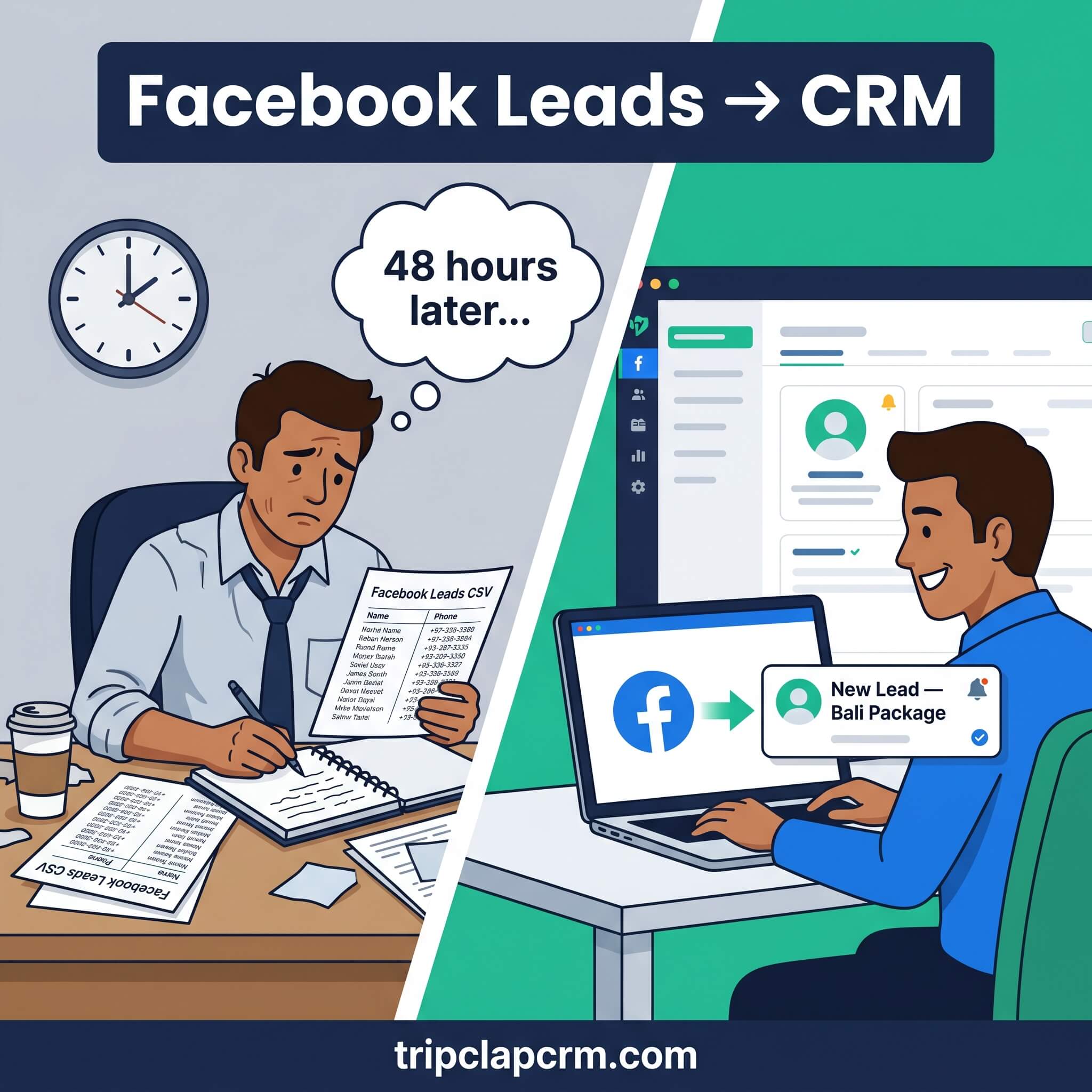
How do you import Facebook leads into a Travel CRM?
To import Facebook leads into a Travel CRM: (1) connect your Facebook Business Page to the CRM via the integrations panel, (2) link your active lead ad forms to the CRM, (3) the CRM automatically captures every new lead the moment someone submits a Facebook form — no manual download, no CSV export, no copy-pasting. Each lead appears in your pipeline in real time with the campaign name, destination interest, and contact details pre-filled.
Here is a situation every Indian travel agent running Facebook ads has lived through.
You run a Bali package campaign. The leads start coming in — 15 on the first day, 40 by the end of the week. You download the lead CSV from Facebook Ads Manager on Friday afternoon. You open it in Excel. You start copying names and phone numbers into your WhatsApp contacts. By the time you call the first lead, it is already late Friday evening. By Monday morning, half of them have either booked with another agency or stopped responding.
You spent ₹8,000 on ads to generate 40 leads. You converted 4. The other 36 are gone — not because your packages were bad, not because your prices were wrong, but because of a 2-day delay caused by a manual data transfer process that should not exist in 2026.
This post shows you exactly how to eliminate that delay — and what happens to your conversion rate when every Facebook lead lands inside your CRM within seconds of being submitted.
Why Facebook leads are different — and why the gap between ad and follow-up is so costly
Facebook Lead Ads work differently from website enquiries. When someone fills out a lead form on your website, they have actively navigated to your site, read about your packages, and decided to reach out — their intent is high and their patience is relatively long.
Facebook Lead Ads capture people in a different mindset. Someone is scrolling through their feed, sees your Maldives package ad, and fills out a form impulsively — in the same 90-second window they might otherwise have scrolled past. Their interest is real, but it is also momentary. They have not visited your website. They may not remember filling out the form by tomorrow morning.
This is why the speed of follow-up on Facebook leads is more critical than on almost any other lead source. Research across the travel and services industry consistently shows that leads contacted within 5–15 minutes of submitting a form convert at 3–5x the rate of leads contacted 24 hours later. After 48 hours, conversion rates drop dramatically.
Facebook lead reality for Indian travel agencies: Lead gen for travel services on Facebook costs ₹200–₹2,000 per lead in India depending on destination and package type. A 40-lead campaign at ₹300/lead = ₹12,000 in ad spend. If you lose 20 of those leads to slow follow-up, you have effectively thrown ₹6,000 into the bin — and that is before you consider the booking revenue those leads would have generated.
What the manual Facebook lead process actually looks like — and where it breaks
Before we look at the solution, it is worth spelling out the manual process precisely — because most agencies do not realise how many failure points it contains.
| Step in manual process | What can go wrong | How often it happens |
|---|---|---|
| Log into Facebook Ads Manager | You forget, or you only check once a day | Daily for disciplined agents — weekly for many |
| Download leads CSV | You download an old version; new leads since last download missed | Every download risks missing recent leads |
| Open CSV in Excel | File opens with formatting errors or corrupted phone numbers | Phone numbers stored as numbers lose leading zeros |
| Copy names/numbers to WhatsApp or phone | Typos, skipped rows, copy-paste errors | Extremely common under time pressure |
| Add lead to your tracking spreadsheet | Duplicate entry, wrong status, version conflict if team shared | Very common in 2+ person teams |
| Make first contact call or message | Hours or days after the lead submitted the form | Average delay: 4–24 hours in most agencies |
| Record outcome and next follow-up | Often forgotten — no system to enforce it | Most leads never get a second follow-up |
Seven steps. Seven opportunities for delay, error, or omission. And at the end of it, the best-case outcome is that your agent makes first contact 4 hours after the lead was submitted — while your competitors with automated systems called 4 minutes after.
How Facebook Lead Ads to CRM integration works
When you connect Facebook Lead Ads to a Travel CRM like TripClap, the entire manual process above is replaced by a single automated flow:
| Step | What happens |
|---|---|
| 1 | Someone sees your Maldives package ad on Facebook or Instagram and fills out the Instant Lead Form. |
| 2 | Facebook sends the lead data to TripClap via the API connection in real time — typically within 30–60 seconds of form submission. |
| 3 | TripClap creates a new lead record automatically: name, phone number, email, destination interest, and the specific campaign that generated the lead — all pre-filled. |
| 4 | The lead is assigned to the designated agent (or auto-assigned by destination/rotation rules) and they receive an instant notification on their device. |
| 5 | Your first automated response is triggered: a WhatsApp message or email acknowledging the enquiry fires within minutes — before any human action is required. |
| 6 | The lead enters your follow-up sequence: Day 1, Day 3, Day 7 automated touchpoints keep the lead warm while your agent prepares a personalised quotation. |
| 7 | Every interaction — calls, WhatsApp messages, emails — is logged against the lead. Your team has full context for every conversation, from any device. |
Step-by-step: how to connect Facebook Lead Ads to TripClap CRM
Here is the exact process to get your Facebook lead pipeline connected and running. The full setup takes approximately 15–20 minutes.
Before you start — what you need
- A TripClap CRM account (register free at tripclapcrm.com — no credit card required)
- Admin access to your Facebook Business Page
- At least one active Facebook Lead Ad campaign with a lead form published (not just in draft)
- Your Facebook ad account connected to a Business Manager account
Step 1 — Connect your Facebook Business Page to TripClap
In TripClap CRM, navigate to the Integrations panel (found in Settings or the main sidebar). Select Facebook Lead Ads from the list of available integrations. Click Connect and you will be prompted to log into your Facebook account. You will need to grant TripClap permission to access your Business Pages and lead forms. Select the specific Business Page you use for your travel agency ads.
Once connected, you will see your Facebook Page listed as an active integration in TripClap. This is a one-time setup — all future lead forms from this page will flow through the same connection.
Step 2 — Link your lead ad forms
After connecting the Page, TripClap will display all the lead forms currently associated with your Facebook ads. Select the forms you want leads to flow from. You can connect multiple forms — one for Maldives packages, one for Europe tours, one for domestic trips — and each will create leads in TripClap tagged with the specific form name, making it easy to identify which campaign generated each lead.
Pro tip — name your Facebook forms clearly: Instead of 'Lead Form 1' or 'Untitled Form', name each Facebook lead form with the destination and campaign date: 'Maldives May 2026' or 'Europe Summer Honeymoon'. This name appears automatically on every lead in TripClap, giving your agents instant context on what the lead was interested in before they even open the record.
Step 3 — Map form fields to CRM fields
Facebook lead forms collect specific information — name, phone, email, and any custom questions you added (like 'Which destination?', 'Travel dates?', 'Budget range?'). TripClap's field mapping tool lets you match each Facebook form field to the correct field in your CRM lead record.
For standard fields (Name, Phone, Email), this mapping happens automatically. For custom fields specific to your lead forms, you select the matching CRM field from a dropdown. This takes 2–3 minutes and only needs to be done once per form type.
Step 4 — Set up auto-assignment rules (optional but recommended)
If your team handles different destinations, you can configure TripClap to auto-assign incoming Facebook leads based on the form they came from. All Bali leads go to Agent A. All Europe leads go to Agent B. All domestic leads go to Agent C. The lead lands in the right agent's queue the moment it is captured — no manager needs to manually redistribute enquiries.
Step 5 — Activate your first-response automation
This is the step that has the biggest immediate impact. In TripClap's automation section, create a trigger: 'When a new lead arrives from Facebook → send WhatsApp message immediately'. Write a brief, friendly acknowledgement: 'Hi [Name], thank you for your interest in [Destination] — our team will reach out within the next few minutes with options tailored for you.'
This message fires automatically within seconds of the lead arriving — before any agent has even seen the notification. The lead gets an immediate confirmation that their enquiry was received. Your agency looks responsive. The lead does not submit the same form to four other agencies (or at least, they feel they have already started a conversation with you first).
Watch out: Do not use a generic first-response message. 'Thank you for contacting us' is weaker than 'Hi Priya, thanks for your interest in our Bali packages — our Bali specialist will call you within 15 minutes.' The more specific the message, the higher the chance the lead stays engaged and does not immediately reach out to competitors.
What changes when Facebook leads flow directly into your CRM
Here is how the numbers change when the manual copy-paste process is removed:
| Metric | Manual process | With CRM integration |
|---|---|---|
| Time from lead submission to first contact | 4–24 hours (often next day) | Under 5 minutes (automated first response) |
| Lead data entry errors | Common — typos, missing digits | Zero — pulled directly from Facebook form |
| Leads missed during busy periods | 10–25% during peak season | Zero — every form submission auto-creates a CRM record |
| Campaign attribution | Often unknown — which ad worked? | Automatic — campaign name tagged on every lead |
| Follow-up compliance | Depends on agent memory | Automated — Day 1, 3, 7 sequences run without human input |
| Conversion rate (Facebook leads) | 8–12% typical (manual process) | 18–28% typical (with immediate response + automation) |
| Ad spend efficiency (same ₹ budget) | 25–35% of leads converted | 60–70% of leads meaningfully engaged |
The math is straightforward: if you are spending ₹15,000/month on Facebook ads and currently converting 10% of your leads, moving to an integrated CRM with immediate automated response can realistically move that to 20–25% — the same ad budget generating double the bookings.
Common mistakes travel agents make with Facebook Lead Ads — and how to avoid them
Running Lead Ads without a CRM integration at all
This is the most expensive mistake — paying ₹200–₹2,000 per lead for a contact who sits in a Facebook download queue for 24+ hours while your competitors call them. If you are running Lead Ads and downloading CSVs manually, stop. Connect the CRM first, then continue the campaign.
Using the same lead form for all destinations
A single generic form ('I am interested in a tour') tells you almost nothing about what the lead actually wants. Create separate lead forms for your top 3–5 destinations — Maldives, Bali, Europe, domestic packages, honeymoon. Each form asks 1–2 relevant questions ('How many travellers?', 'Approximate budget?'). The lead arrives in TripClap already tagged with destination interest, which means the auto-assigned agent knows exactly what to discuss before making the first call.
Asking too many questions on the form
Facebook Lead Ads convert best when the form is short — name, phone number, and one destination-specific question. Every additional field you add reduces the number of people who complete the form. You can ask more qualifying questions after you have made first contact. A lead with a phone number is infinitely more valuable than a half-completed form with no phone number.
Not following up beyond the first call
Most agencies call once, don't reach the lead, and move on. Research shows that 80% of sales require 5 or more follow-up touchpoints. In TripClap, set up a sequence: immediate WhatsApp → Day 1 call attempt → Day 3 WhatsApp with itinerary sample → Day 7 final follow-up with a time-limited offer. Automate these. The leads that don't convert immediately are often the ones who convert 2 weeks later when they are finally ready to commit.
Ignoring the campaign attribution data
Because TripClap tags every lead with the source campaign, you can see within 30 days which Facebook ads are actually generating bookings — not just leads. An ad that generates 50 leads with 1 conversion is worse than an ad that generates 10 leads with 4 conversions. This data, available directly in TripClap's reports, lets you reallocate your ad budget to campaigns that actually drive revenue rather than just volume.
Frequently asked questions
How long does it take to connect Facebook Lead Ads to TripClap CRM?
The initial Facebook integration setup in TripClap takes approximately 15–20 minutes — connecting your Business Page, selecting your lead forms, mapping form fields to CRM fields, and setting up the first auto-response message. This is a one-time setup. Once connected, all new leads from your Facebook campaigns flow into TripClap automatically without any further action from your team.
Do I need a Facebook Business Manager account to integrate with TripClap?
Yes. Your Facebook ad account needs to be connected to a Facebook Business Manager account for the integration to work. Most travel agencies running active Facebook Lead Ad campaigns are already set up on Business Manager. If you are running ads from a personal profile rather than a Business Page, you will need to migrate first — Facebook provides a straightforward guide for this in its Business Help Centre.
Can I connect multiple Facebook Pages and ad accounts to TripClap?
Yes. If you manage multiple Facebook Pages — for example, one for domestic packages and one for international tours — you can connect multiple pages to TripClap and direct leads from each to different pipelines, agents, or destination queues. Each lead will be tagged with the Page and campaign it came from, giving you full attribution data in your reports.
What happens to Facebook leads that came in before I connected the CRM?
Historical leads (before the integration was connected) do not flow in automatically — the integration only captures new leads from the point of connection onwards. For your existing Facebook leads, you can download the CSV from Facebook Ads Manager and use TripClap's bulk Excel/CSV import feature to add them to your pipeline. This way your full lead history is in one place.
Will Facebook leads automatically get a WhatsApp message from TripClap?
Yes — if you set up an automation trigger for it. In TripClap's automation settings, you create a rule: 'When new Facebook lead arrives → send WhatsApp message immediately'. You write the message template once, including personalisation fields like the lead's first name and the destination they expressed interest in. This fires automatically for every new Facebook lead within seconds, regardless of whether your team is available at that moment.
Can I see which Facebook campaign each lead came from inside TripClap?
Yes. Every lead that arrives from Facebook is automatically tagged with the name of the lead form and the associated campaign. In TripClap's reports, you can filter leads by source campaign and see how many of each campaign's leads converted to bookings — giving you real conversion data to optimise your ad spend rather than relying on Facebook's own lead count metrics, which do not tell you which campaigns actually produced revenue.
Stop losing ₹2,000 leads to a copy-paste process
Every rupee you spend on Facebook ads is a bet that someone will see your package, express interest, and eventually book with you. The manual download-copy-paste process turns a large percentage of those bets into losses — not because the leads were bad, but because the follow-up was slow.
The integration between Facebook Lead Ads and TripClap CRM takes 20 minutes to set up. Every lead you generate from that point forward is captured in real time, automatically assigned, and followed up without your team lifting a finger for the first touch.
The agencies winning the most Facebook leads right now are not necessarily running the best ads. They are the ones responding fastest.
Set up your Facebook integration free today. Register at tripclapcrm.com — no credit card required. Connect your Facebook Lead Ads in under 20 minutes. Call +91-8069186564 if you need help setting up the integration or writing your first auto-response message.